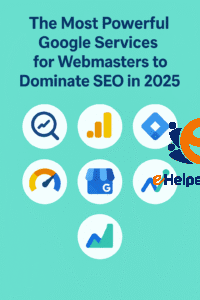
The Most Powerful Google Services for Webmasters to Dominate SEO in 2025
In today’s digital landscape, running a website without Google services is like navigating the ocean without a compass. Google dominates the search engine market, holding over 90% of global market share. This means that the majority of your website’s visibility, traffic, and engagement depends on how well you align with SEO basics for beginners in 2025 and Google’s tools and recommendations.
For webmasters, these services are more than just helpful add-ons—they are mission-critical. Tools like Google Search Console, Google Analytics 4, PageSpeed Insights, and Google Trends provide deep insights into website performance, SEO health, and user behavior. They allow webmasters to not only track growth but also fix issues, optimize site speed, and stay competitive in search rankings.
In this article, we’ll explore the most important Google services every webmaster must use in 2025. Each tool plays a unique role, but when combined, they form a powerful ecosystem for success.

Google Search Console: The Core Tool for Website Performance
Google Search Console (GSC) is the heartbeat of any webmaster’s toolkit. It’s a free service that provides valuable insights into how Google views your website. With GSC, you can monitor your site’s performance in search results, identify technical errors, and optimize your SEO strategy effectively with practical tips.
Performance Reports: See which queries bring users to your site, track impressions, clicks, and average position.
Index Coverage: Discover indexing errors, such as pages excluded from search results, and fix them quickly.
Sitemap Submission: Upload XML sitemaps to help Google crawl your site more efficiently.
Mobile Usability: Detect mobile-specific issues that could affect user experience and rankings.
For webmasters, GSC acts like a doctor’s report for your site. If your organic traffic drops, the first stop should always be Search Console to diagnose the issue.
By mastering Google Search Console, webmasters ensure their websites are fully optimized for visibility and compliant with Google’s guidelines.
Google Analytics 4: Tracking User Behavior and Conversions
Understanding your audience is vital for growth, and Google Analytics 4 (GA4) is the go-to service for this task. Unlike its predecessor (Universal Analytics), GA4 uses an event-based model, giving a more flexible and accurate view of user interactions.
Benefits of GA4 for webmasters:
Cross-Device Tracking: Follow users across mobile, desktop, and apps.
Engagement Metrics: Learn which pages keep visitors engaged and which cause drop-offs.
Conversion Tracking: Monitor goal completions like purchases, sign-ups, or downloads.
AI-Powered Insights: Get predictive analytics on trends like churn probability or revenue forecasts.
GA4 also integrates smoothly with Google Ads, making it a powerful service for businesses running paid campaigns. For webmasters, it provides the data backbone needed to understand user journeys and optimize content strategies.
By leveraging GA4, webmasters can make informed, data-driven decisions that improve site performance and boost ROI.
Google Tag Manager: Simplifying Tracking and Data Management
Managing multiple tracking codes can be overwhelming. That’s where Google Tag Manager (GTM) comes in. GTM allows webmasters to add, update, and manage marketing tags without touching website code directly.
Advantages of using GTM:
Easy Implementation: Deploy tags (like analytics, remarketing, or conversion tracking) without editing site code.
Debugging Tools: Preview and test tags before publishing them live.
Event Tracking: Capture user actions such as clicks, form submissions, and video plays.
Version Control: Roll back changes if something breaks.
For webmasters juggling multiple marketing tools, GTM streamlines processes and reduces dependency on developers. This not only saves time but also enhances flexibility in running campaigns.
Ultimately, Google Tag Manager simplifies data management and helps webmasters keep their sites well-organized and performance-focused.
Google PageSpeed Insights: Optimizing Website Speed and UX
Site speed has a direct impact on SEO rankings and user satisfaction. Google PageSpeed Insights (PSI) is a service that analyzes your website’s performance and suggests improvements through proven on-page SEO practices.
PageSpeed Insights measures both mobile and desktop performance, providing a Core Web Vitals score that reflects real-world user experience.
Why PSI matters for webmasters:
SEO Ranking Factor: Faster sites rank higher in Google search results.
Bounce Rate Reduction: A slow-loading site drives users away within seconds.
Optimization Suggestions: PSI offers actionable fixes like compressing images, reducing JavaScript, and enabling browser caching.
By consistently using PageSpeed Insights, webmasters can maintain a fast, smooth, and user-friendly website.
In 2025, where attention spans are shorter than ever, site speed could be the difference between gaining a customer or losing one.
Google Mobile-Friendly Test: Ensuring Seamless Mobile Experience
With mobile devices accounting for over 60% of global web traffic, Google’s Mobile-Friendly Test has become essential for webmasters. This service checks whether your site is optimized for smartphones and tablets.
Key benefits include:
Mobile Usability Reports: Detect text too small to read, clickable elements too close together, or content wider than the screen.
Responsive Design Validation: Confirm your website adapts well to different devices.
SEO Advantage: Mobile-first indexing means Google primarily uses the mobile version of a site for ranking.
For webmasters, passing the Mobile-Friendly Test ensures that users on any device have a positive browsing experience. This not only improves rankings but also builds trust with visitors.
Google Trends & Keyword Planner: Researching What Users Want
Content strategy thrives on understanding what users are searching for. Google Trends and Google Keyword Planner are two services that help webmasters discover trending topics and search demand.
Google Trends: Shows search interest over time, helping webmasters identify seasonal trends and emerging topics.
Keyword Planner: Provides keyword ideas, search volumes, and competition levels, making it vital for SEO and PPC campaigns.
By combining these tools, webmasters can align their content with what people are actively looking for. This ensures higher visibility, better engagement, and improved conversion rates.
For example, if a keyword trend is rising, webmasters can publish relevant content early and capture valuable traffic before competitors.
Google Business Profile: Strengthening Local SEO Presence
For businesses with physical locations, Google Business Profile (GBP) is a must-have. It allows webmasters and business owners to manage how their brand appears on Google Search and Maps.
Benefits of Google Business Profile:
Local Search Visibility: Appear in “near me” searches and local map packs.
Customer Engagement: Showcase reviews, respond to queries, and share updates.
Performance Insights: Track how customers find and interact with your listing.
Call-to-Action Features: Enable bookings, calls, or direct website visits.
A well-optimized GBP can significantly increase foot traffic and conversions. For webmasters, it’s not just about online visibility but also driving offline engagement.
Integrating Multiple Google Services for Maximum Impact
While each tool is powerful on its own, the true magic happens when webmasters integrate multiple Google services together. For example:
Combine GSC + GA4: Analyze search traffic alongside user behavior.
Link GTM + GA4: Simplify tracking while gathering advanced insights.
Use PSI + Mobile-Friendly Test: Optimize both speed and responsiveness.
Pair Keyword Planner + Trends: Build content around demand-driven topics.
This holistic approach allows webmasters to monitor technical SEO, user engagement, speed, and keyword strategy all in one ecosystem. The result is a well-rounded website optimized for growth.
The Future of Google Services for Webmasters
As we move further into 2025, Google services will continue to evolve. With AI-driven features, predictive analytics, and tighter integration between tools, webmasters can expect even more precision in managing websites.
Webmasters who stay updated and adapt to these tools will have a significant competitive advantage. Ignoring them, however, risks falling behind in a fast-paced digital landscape.
FAQs About Google Services for Webmasters
1. What are the most important Google services for webmasters?
The most crucial ones include Google Search Console, Google Analytics 4, PageSpeed Insights, Mobile-Friendly Test, Trends, Keyword Planner, and Google Business Profile.
2. Are Google services free for webmasters?
Yes, most of Google’s core services for webmasters are free, making them highly accessible for beginners and professionals alike.
3. How often should I use Google Search Console?
Webmasters should check GSC at least weekly to monitor site performance, indexing, and potential SEO issues.
4. Do Google services improve SEO automatically?
No, they don’t directly improve SEO. Instead, they provide insights and recommendations that webmasters must act on to optimize rankings.
5. Can I use Google services without technical knowledge?
Yes, many services are beginner-friendly, though advanced features may require some learning.
Conclusion
In the fast-paced digital world of 2025, staying ahead requires more than just a good-looking website. Webmasters must rely on the right tools to monitor performance, understand audiences, and optimize for search engines. That’s where Google services come in.
From Google Search Console and Google Analytics 4 to PageSpeed Insights and Google Business Profile, each service plays a crucial role in building a website that not only attracts visitors but also delivers lasting value. These tools empower webmasters with actionable insights, ensuring their websites remain competitive in search rankings while providing users with seamless experiences.
6. Which Google service helps with local SEO the most?
Google Business Profile is the best tool for local SEO, helping businesses appear in local searches and Google Maps.